Help & Support
How to set Interface on 1500i Barcode Scanner to USB?
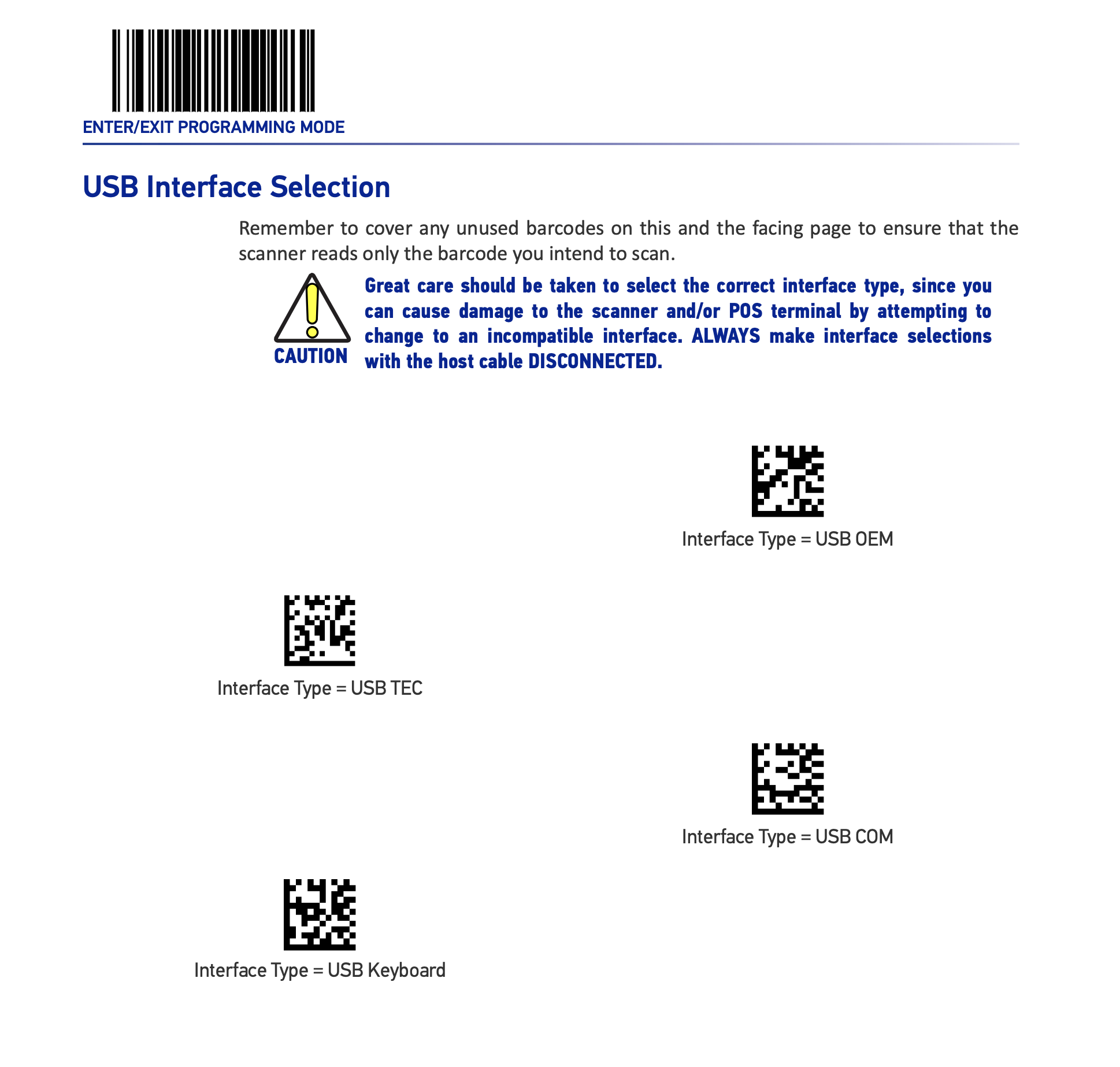
Datalogic Magellan 1500i – PLEASE FOLLOW EACH STEP CAREFULLY!
- Download the programming image here: Download Here
- Print the image or display on a screen so that the barcodes are clear.
- Scan Enter Programming Barcode
- Wait for Beep
- Scan “Interface Type – USB OEM” Barcode
- Wait for Beep
- Scan Exit Programming Barcode
- Wait for Beep
- Done – Fixed!